Contents 5
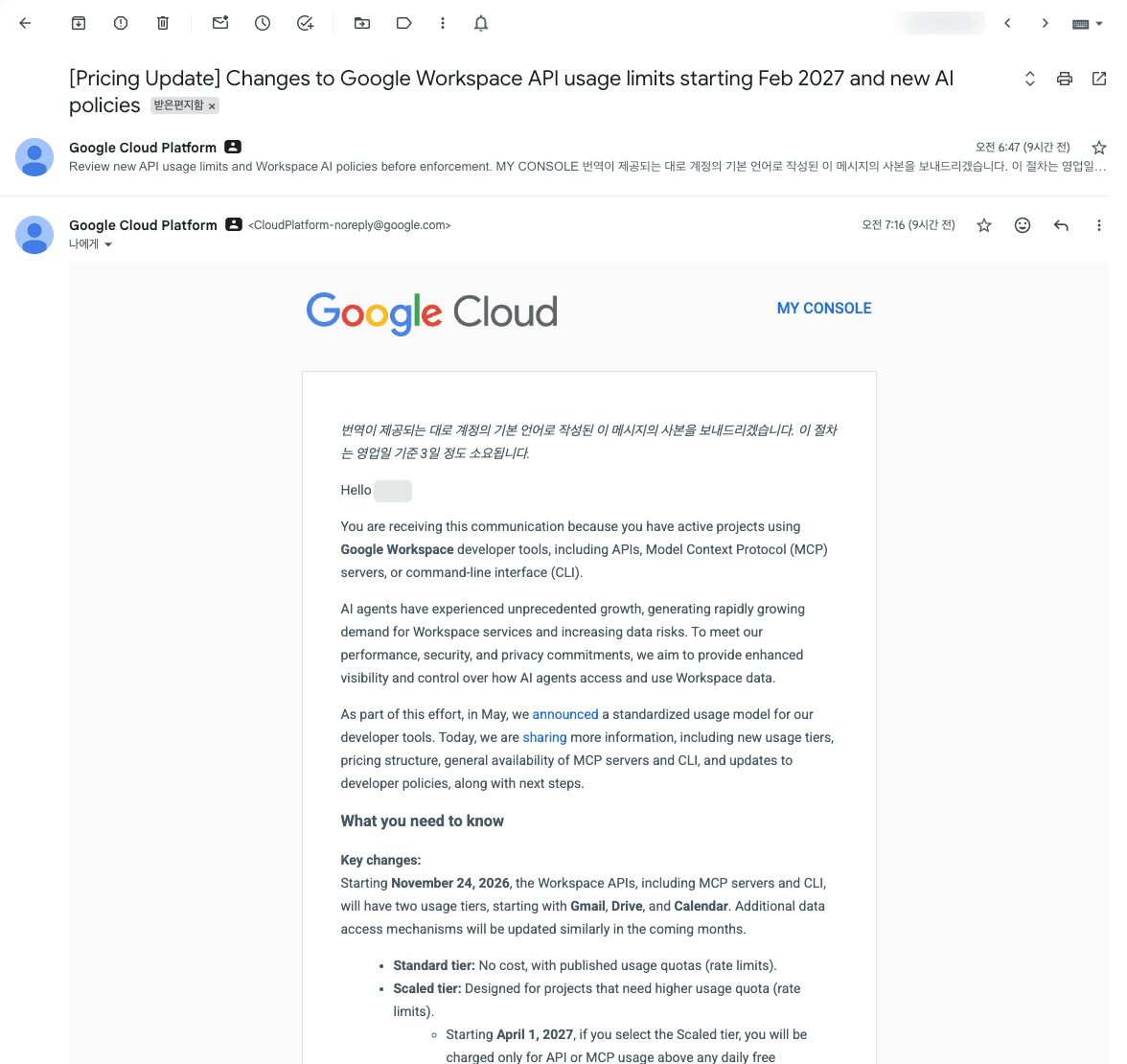
A little while ago I got an email from Google Cloud with a subject that starts with "Pricing Update." With the word pricing right there in the subject, I thought, "Are they telling me to pay now for the Google APIs I've been using for free all this time?" If you have Gmail or Drive connected to ChatGPT, Claude or n8n, that subject gives you even more of a jolt. But when you actually open the email, terms like usage tiers, pricing and MCP (Model Context Protocol) all come at you at once. Even after reading the whole thing, I couldn't quite grasp whether I had to pay or what I was supposed to do.
So I'll go through the questions in the order that people who got the email are likely to ask them. The content is based on Google's developer documentation and announcement as updated on November 24, 2026.
What are the Google Workspace API usage tiers and the MCP requirement?#
In this Google Workspace API announcement, there was something that looked bigger to me than the pricing. The terms are changing so that, from February 2027, AI has to connect through Google's own MCP in order to read Gmail or Drive. MCP is a standard way of connecting that AI goes through when it reads and writes data in outside services. Google built and released its own MCP servers for Gmail, Drive and Calendar. The message is that from now on, if you want AI to read Google data, you use this way of connecting.
Seeing "Workspace" in the email subject, you might think, "This is about work accounts. I use personal Gmail, so it has nothing to do with me," but that isn't the case. Google groups the Gmail, Drive, Calendar, Docs and Sheets APIs together and calls them the Workspace APIs. If you use these APIs with a personal Gmail account, it applies to you all the same.
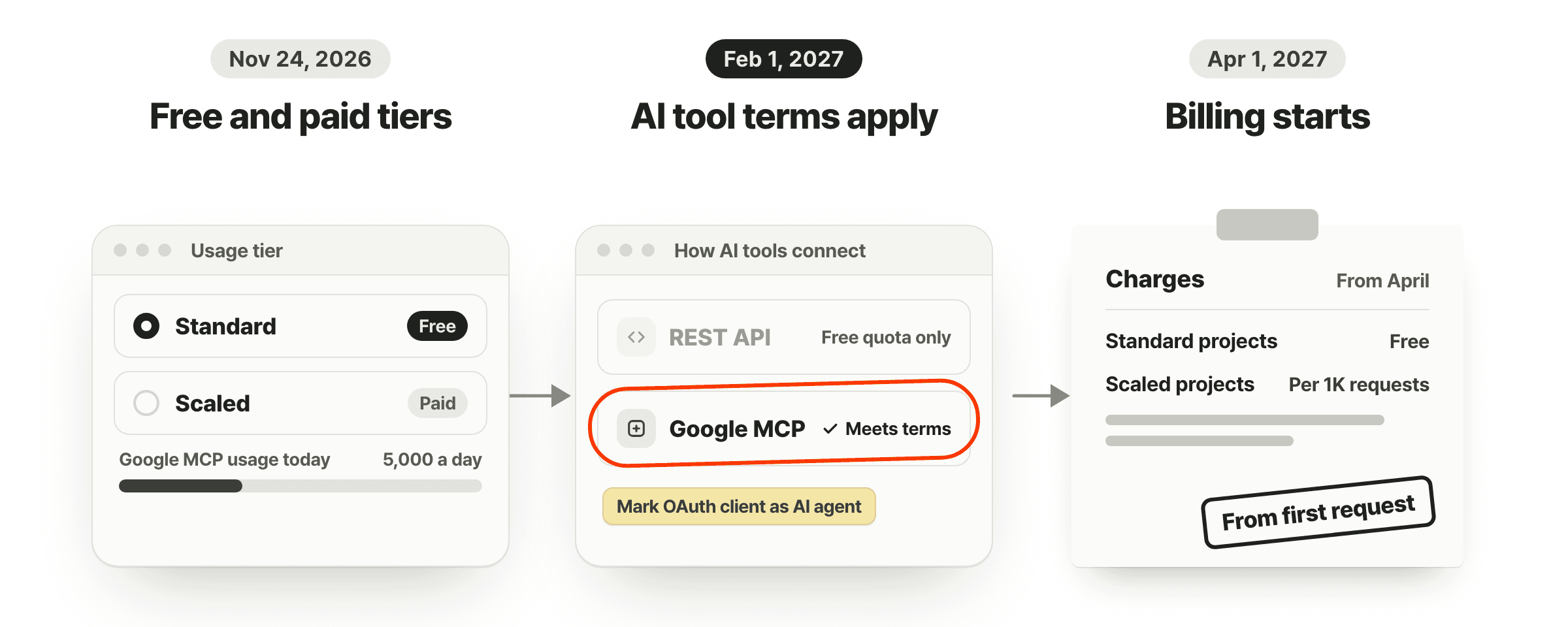
- As of November 24, 2026, the Gmail, Drive and Calendar APIs have free and paid tiers. The free one is called the Standard tier and the paid one the Scaled tier. This is also why the email came now.
- From February 1, 2027, AI has to connect through Google's own MCP when it reads Gmail or Drive. Google's AI Tools Addendum applies from that day. If you leave AI connected the way it is now, through the REST APIs, you can only use it within the free quota from that day. REST is the existing way, where a program requests Google data directly from its endpoints. If you have Gmail connected to AI, I think this is the date that matters most.
- From April 1, 2027, Google actually starts charging usage fees. From that day, projects that chose the Scaled tier are charged, and the Standard quota also applies to all projects. The "Pricing" in the email subject is really about this date.
Do I have to pay to use the Google APIs now?#
No. Fortunately, most people won't have to pay anything. If you do nothing, your project stays on the free Standard tier. Google also said in its announcement that over 99% of currently active developers are using the APIs within the Standard quota.
- The Standard tier is free and has a quota. According to Google's usage tiers documentation, on the Standard tier one Cloud project can make up to 5,000 requests a day to Google MCP per product. The number alone looks generous, but the counting works a little differently. Searching Gmail threads and listing drafts each count as 10 requests for a single call. With a search like "Find all the emails from my client last week," 500 searches a day fills the quota. For one person using it for work, it seems hard to go over. It could be a different story for an automation that has AI watch your inbox all day.
- You only pay if your project goes over the quota and you choose Scaled. Going by the pricing documentation, the Scaled tier costs $0.10 to $0.50 per 1,000 requests depending on the feature. Be careful here, though. The moment you switch to Scaled, the free MCP allowance goes away and you're charged from the first request. If you casually click Scaled, thinking, "The quota is a little short, so maybe I'll switch to Scaled," you end up paying even for the usage that used to be free.
Does my Gmail connection to ChatGPT or Claude change too?#
It depends on how you connected it to AI. That's because what differs is whose Cloud project the connection goes through. Google sets quotas and costs per Cloud project, not per person. I think this is why, even with Gmail connections that look the same on the surface, some people have nothing to do and others have to fix things before February.
- If you use Gmail through the built-in connector in the ChatGPT or Claude app, there's nothing you need to do. If you signed in with your Google account in the app's settings and connected Gmail, that connection goes through the Cloud project of the company that made the app. Both the quota and the cost fall to that company (nothing is known yet about whether they'll add this cost to their pricing). However, with a work Google account you'll see the approval window more often than before, even for an app connection. The Admin console has a new setting that sets external AI agents' access to [Allow], [Require user approval] or [Block]. The default is [Require user approval]. If you find yourself thinking, "This worked fine until yesterday, so why does it keep asking me to confirm?" the cause is this setting and nothing is broken. In that case it seems quickest to ask your company's admin first.
- An automation that just follows fixed steps, with no AI, has nothing to do with MCP. An Apps Script automation that moves emails with a certain label into a sheet every morning is one example. Google's MCP configuration documentation also says that Apps Script that doesn't call MCP is not affected. The Standard quota applies from April, but there is nothing you need to move.
- If you put your own credentials from the Google Cloud console into an AI tool, the quota and the terms apply to your project. One example is installing a Gmail connection tool (an MCP server) in Claude Code or Cursor and entering those credentials. The same goes if you connected Gmail in n8n with your own credentials so that AI reads your email, or wrote your own script that reads email and passes it to AI. From Google's point of view, the owner of this connection is your Cloud project. This is the case where there is something to check before February.
Will AI agents connected through the REST APIs be blocked from February 2027?#
They won't be blocked. Some tech blogs described it as a REST API shutdown for AI agents, but the wording in Google's documentation is "limited to Standard Tier quotas." From February 1, all that happens when AI calls Gmail or Drive through the REST APIs is that it's held to the free quota and you can't raise the quota even by choosing Scaled. That said, the terms weigh on my mind more than the quota. The terms that apply from the same day say AI tools are to use Google MCP, so if you keep AI connected to Gmail through REST, you could end up in violation of the terms regardless of the quota.
If you got the email, are you one of the people who have to move? You can't tell from the email alone. This email went to every owner of a Cloud project with the Workspace APIs or MCP turned on. I got it too, and what it listed were Cloud projects I'd made a long time ago. Going through the steps below in order will tell you which case is yours.
- From the projects listed in the email, pick out only the ones where AI reads Gmail or Drive. Any AI tool that has that project's credentials in it needs to be moved. If the Client ID field is filled in on the Google connection screen of the tool you use, the connection goes through your project. Scripts that run without AI and projects you no longer use can be left as they are.
- For the projects you picked out, mark the OAuth client as an AI agent and move to Google MCP. An OAuth client is the credential your app uses when it gets permission to access a Google account. Google MCP only accepts clients marked as "AI agent", and you have to mark them yourself. If you were using one client for both regular features and AI agent features, you need to split the client IDs. How to turn on the Google MCP servers and connect them to an AI tool is laid out in the MCP configuration documentation.
- If the tool stores the data AI reads, keep to the retention period too. Under the terms, technical information made from the emails and documents AI read, such as embeddings or memory, can't be kept for more than 30 days and has to be deleted when the connection is cut. If you only pay attention to moving to MCP, this part seems easy to miss.
- For work accounts, there is also an internal-use exception. A project that is used only inside the company and has no OAuth client for outside users can use a higher REST API quota if a super administrator designates it. But that only raises the quota, and the terms still apply as they are. Personal Gmail accounts don't have this exception.
For a connection where it isn't clear whether it's covered, like a Gmail MCP server you install and run on your own computer, I think it's safer to assume the terms apply broadly. People in the developer community keep asking whether MCP servers like this are covered by the terms too, and how to use features that Google MCP doesn't have, but Google hasn't answered yet. The AI agent marking is left to developers to do themselves, and Google has only said that it may audit later. That means you have to judge for yourself whether you're covered, and if that judgment is wrong, you could be flagged later. If it were me, I'd try moving these connections to Google MCP before February too.
Do n8n or Zapier email automations count as AI agents too?#
If AI reads the email and makes a judgment inside the flow, I think it's right to treat it as an AI agent and prepare accordingly. Google's terms define AI agents quite broadly, as "goal-oriented artificial intelligence (AI) systems or workflows that perform actions or tasks on your behalf." They don't make an exception for tools like n8n or Zapier either.
For example, a flow in n8n where AI reads a new email when it arrives and drafts a reply or sorts it by importance counts as an AI agent. On the other hand, a flow that only copies the sender and subject of a new email into a sheet is a regular automation, like the Apps Script I mentioned earlier. Even within n8n, it's less confusing if you think of it as coming down to whether you put an AI step in the middle.
Even if it counts as an AI agent, whether you have anything to move is a separate question. In n8n, you can open the Gmail credential screen and see whether the Client ID field is filled in. If it is, you need to move that project to Google MCP before February.

I am a growth marketer who consults on growth marketing and AI adoption.